What Is GSM in Printing?
GSM stands for grams per square metre. It describes the mass of paper or board per square metre. ISO 536:2019 specifies a method for determining the grammage of paper and board.
For print buyers, GSM is useful because it gives a consistent way to describe paper weight even when the finished sheet size changes. A higher GSM generally means more material mass per square metre, but it should not be treated as a direct measurement of physical thickness or overall paper quality.
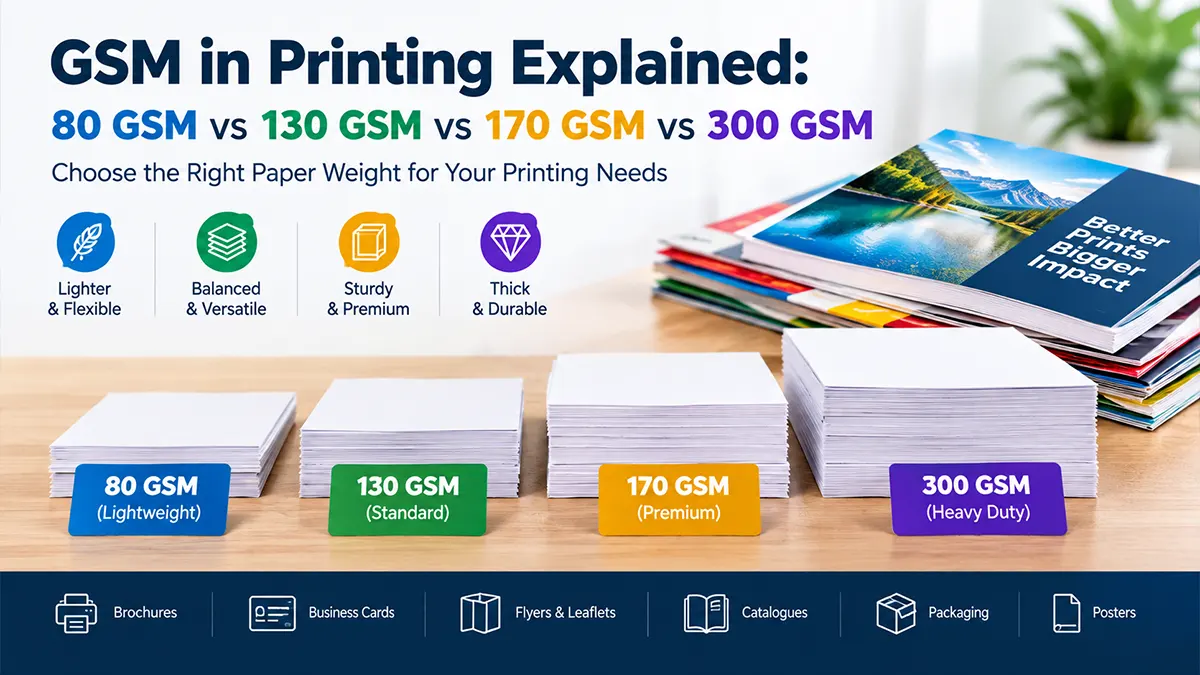
80 GSM vs 130 GSM vs 170 GSM vs 300 GSM
| GSM | General Feel | Common Printing Uses | Key Consideration |
|---|---|---|---|
| 80 GSM | Lightweight | Office documents, forms, photocopying, everyday A4 printing | Economical and easy to handle |
| 130 GSM | Medium-light | Flyers, leaflets, brochure text, inserts, catalogues | More body than office paper |
| 170 GSM | Firm | Brochures, premium flyers, booklet covers, calendars | More substantial feel and stiffness |
| 300 GSM | Card-like | Business cards, postcards, invitations, brochure covers | Printer, folding and finishing limits matter |
These applications are practical starting points gathered from current commercial printing guides; exact stock availability and suitability vary by paper grade, finish and printing process.
80 GSM Paper: Where Is It Used?
80 GSM is familiar as standard office copy paper. It is commonly selected for internal documents, routine correspondence, forms, photocopying, drafts and everyday printer use. It is lightweight and economical when a premium tactile feel is not the main requirement.
Typical Uses
- Office documents
- Internal reports
- Photocopying
- Basic forms
- Everyday A4 printing
When It Makes Sense
Choose it when low material weight, easy printer feeding and economical everyday printing are more important than a heavy or premium feel.
130 GSM Paper: Flyers, Brochures & Commercial Print
130 GSM is a common commercial-print starting point when a project needs more body than ordinary office paper. It is often used for flyers, leaflets, brochure inner pages, inserts and catalogue pages.
Good Starting Uses
- Marketing flyers and handbills
- Brochure and catalogue inner pages
- Event inserts
- Product information sheets
- Magazine-style commercial pages
170 GSM Paper: A More Substantial Print Feel
170 GSM sits above typical flyer and brochure text stock and is often selected when the printed piece needs a firmer, more substantial feel. It can work for brochures, premium flyers, booklet covers, menus and calendars, subject to the printing and finishing process.
For folded products, do not choose GSM alone. Coating, grain direction, caliper and the folding or scoring method can affect whether the finished piece folds cleanly.
300 GSM Paper: Cards & Cover Applications
300 GSM is commonly associated with card-style print. It can be used for business cards, postcards, invitation cards, brochure covers, presentation materials and selected packaging or board applications.
Important: “300 GSM” does not identify the entire paper specification. A coated art card, uncoated stock and different board grades can have different caliper, stiffness, surface characteristics and finishing behaviour at the same nominal GSM.
GSM Comparison: Which Weight Should You Choose?
| Project | Starting GSM Range | Why |
|---|---|---|
| Office document | 75–90 GSM | Lightweight and printer-friendly for routine use |
| Flyer / leaflet | 130–170 GSM | More body and handling strength than office paper |
| Brochure inner pages | 130–170 GSM | Balances print quality, foldability and material use |
| Brochure cover | 200–300 GSM | Provides additional structure |
| Business card | 300–350+ GSM | Card-like feel for repeated handling |
| Invitation | 250–350+ GSM | Allows a more substantial tactile presentation |
| Packaging | Often 250–400+ GSM | Must be selected by board grade, caliper and structural need, not GSM alone |
The ranges above are planning guidance, not a universal specification. Current Indian printing guides commonly place 130–170 GSM in brochure/flyer applications and around 300–350 GSM in card applications.
GSM vs Paper Thickness: What Is the Difference?
GSM measures mass per unit area. Caliper measures physical thickness. These measurements are related, but they are not interchangeable.
Two papers with the same GSM can have different thicknesses because fibre structure, coating, density and manufacturing processes vary. That matters for folding, binding, packaging, mailing and printer compatibility. A current Indian paper guide also notes that equal-GSM coated and uncoated stocks can have different caliper.
GSM
Mass of paper per square metre, expressed in grams per square metre.
Caliper
Physical sheet thickness, usually specified in microns or millimetres.
Why the Same GSM Can Feel Different
Coating
Gloss, matte and other coatings can change surface feel, density and print characteristics.
Fibre Structure
Different paper constructions can have different bulk and caliper at the same GSM.
Density
How tightly the material is formed affects how heavy paper behaves relative to its thickness.
Finish
Lamination, texture and surface treatments can change the final tactile result without changing the nominal GSM.
GSM and Printing Quality
Paper weight is only one part of print quality. Colour reproduction, surface smoothness, opacity, brightness, coating, ink or toner compatibility, drying behaviour and the printing process can all influence the result.
A heavier paper is therefore not automatically “higher quality.” The better specification is the one that meets the functional and visual requirements of the particular print job.
GSM for Different Printing Projects
| Print Product | Common Starting Point | What to Check |
|---|---|---|
| Letterhead | 90–100 GSM | Office-printer compatibility, opacity and writing feel |
| Flyer | 130–170 GSM | Distribution handling, folds and finish |
| Brochure | 130–170 GSM inner / heavier cover | Binding, fold count and cover structure |
| Menu | 200–300+ GSM | Handling frequency, lamination and cleaning requirements |
| Business card | 300–350+ GSM | Coating, lamination, creasing and finishing |
| Postcard | 250–350 GSM | Mailing rules, stiffness and finishing |
| Invitation | 250–350+ GSM | Folding, scoring, texture and embellishments |
| Packaging | 250–400+ GSM | Board grade, caliper, creasing, die-cutting and stiffness |
Does GSM Affect Folding and Binding?
Yes. As paper becomes heavier and more rigid, folding can require more planning. Coated stocks and heavier covers may need scoring to reduce cracking or produce a cleaner fold. Binding methods also have practical limits based on page count, paper thickness and the finished format.
For books and multi-page documents, ask the printer for the paper's caliper or bulk specification when spine width or total thickness matters. GSM alone is not enough to calculate physical thickness.
Does GSM Affect Office Printer Compatibility?
Potentially. Office printers, copiers and production presses have their own supported media-weight and media-thickness ranges. A 300 GSM card may not feed through equipment designed primarily for standard office paper.
GSM and Paper Finish: Matte vs Gloss vs Uncoated
GSM and finish are separate choices. You can find similar weights in different surface types, including coated gloss, coated matte and uncoated stocks. The finish can change how colours, photographs, text and tactile surfaces appear.
Gloss
Smooth and reflective; often selected for image-heavy marketing pieces.
Matte
Lower-reflection surface that can suit professional brochures and information-led print.
Uncoated
Natural paper feel and useful for writing, stationery and many text-focused applications.
How to Choose the Right GSM
Define Use
Decide what the printed item must do.
Choose Stock
Select paper type and a practical GSM range.
Check Specs
Confirm caliper, finish, printer and finishing limits.
Test Sample
Review a physical sample before bulk production.
Common GSM Selection Mistakes
Choosing by GSM Alone
GSM does not tell you the complete paper specification or thickness.
Ignoring Printer Limits
Heavy stock can exceed the supported media range of some office printers.
Skipping a Physical Sample
Screen previews cannot fully show paper feel, stiffness, opacity or finish.
Using Heavy Stock Everywhere
Higher GSM can add material weight and cost without improving the job's function.
Ignoring Folding and Binding
Heavier or coated stocks may require scoring or a different finishing approach.
Confusing GSM With Quality
Paper quality also depends on fibre, coating, surface, consistency and print compatibility.
GSM for Packaging: Why the Number Is Not Enough
For packaging, GSM should normally be considered alongside board grade, caliper, stiffness, creasing and die-cutting requirements. Different board constructions at the same nominal GSM can behave differently.
If you are ordering cartons, folders or rigid packaging, ask the printer or packaging supplier to specify the board grade and relevant physical specifications instead of requesting only “300 GSM board.”
Print-Ready Paper Checklist
- Final print product and size
- Paper type
- Target GSM
- Finish: matte, gloss or uncoated
- Caliper if thickness matters
- Printing process
- Printer or press media limits
- Folding / scoring needs
- Binding or die-cutting requirements
- Physical sample approval
GSM Paper Guide: Practical Takeaway
If you only remember four reference points, think of 80 GSM as everyday office paper, 130 GSM as a common commercial-print starting point, 170 GSM as a sturdier brochure and premium-leaflet option, and 300 GSM as a common card and cover weight.
Then go one step further: confirm the paper type, finish, caliper, printing method and finishing requirements. That is how you choose a specification rather than simply choosing a number.
Sources & References
Frequently Asked Questions
Disclaimer
Paper GSM recommendations are general printing guidance, not universal specifications. Actual suitability depends on paper grade, caliper, finish, printing process, equipment limits, folding, binding, packaging requirements and supplier specifications. Confirm the paper specification and test a physical sample before bulk production when the result is important.
Need Help Choosing Printing Paper?
Share your print product, quantity, size and finishing requirements to discuss a suitable paper specification.
Get a Consultation